Catalog
Products are Umbraco content
Products and categories live in Content, with options and choices, pictures, stock and prices. Each choice has its own SKU, price, stock and picture.

StoreCanvas, pre-1.0
StoreCanvas adds a catalog, cart, checkout, orders and offers to Umbraco 17, with providers for payments, tax, shipping and print on demand, and a StoreCanvas section in the backoffice to run the shop from. It is at version 0.2.0, not at 1.0 yet, and its packages are not on nuget.org yet.
Features
The shop's products, pages and settings live in the same backoffice as the rest of your site.
Catalog
Products and categories live in Content, with options and choices, pictures, stock and prices. Each choice has its own SKU, price, stock and picture.
Payments
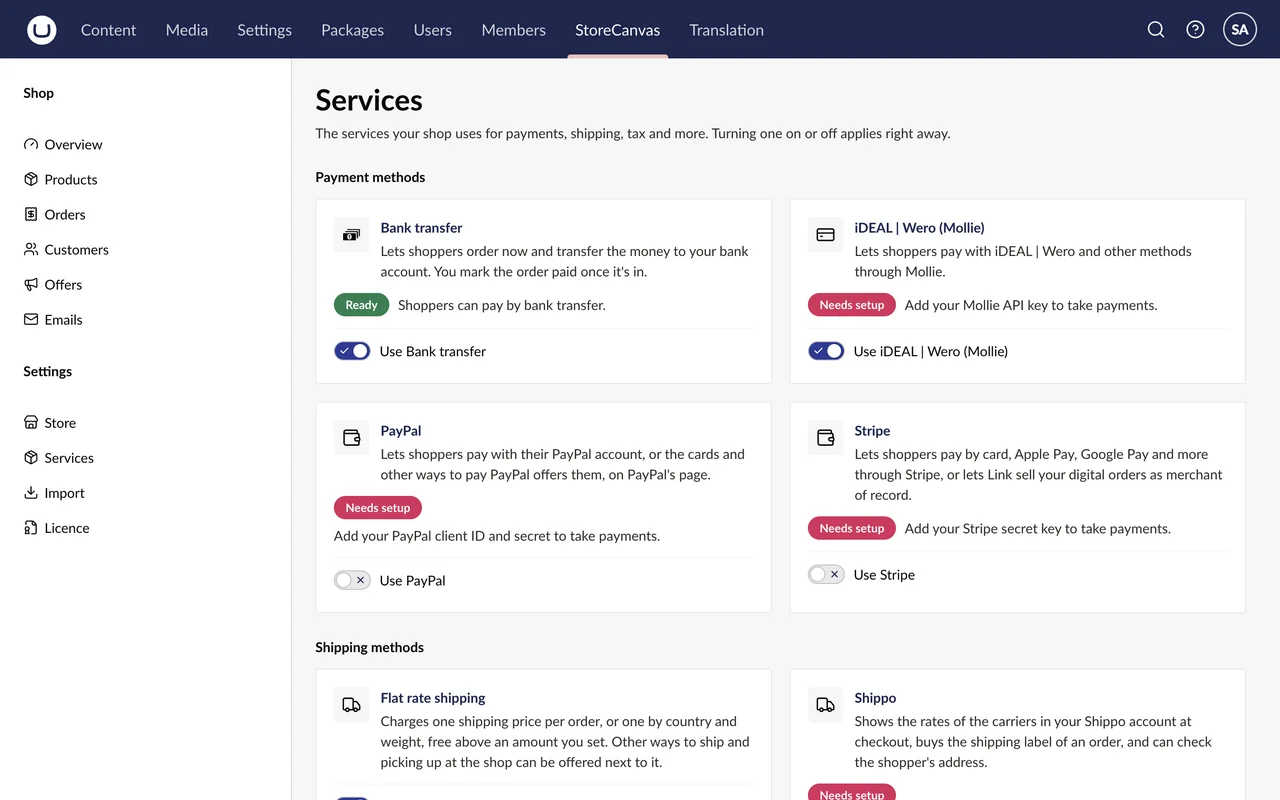
iDEAL | Wero and Mollie's other methods, Stripe Checkout, PayPal, or bank transfer, where you mark the order paid when the money is in.
Tax
Dutch BTW, EU VAT with OSS and reverse charge checked in VIES, US sales tax by ZIP code, Canadian GST/HST, or a tax of your own.
Shipping
Flat rates by country and weight, free shipping above an order total, pickup at the shop, and carrier rates and labels through Shippo.
Offers
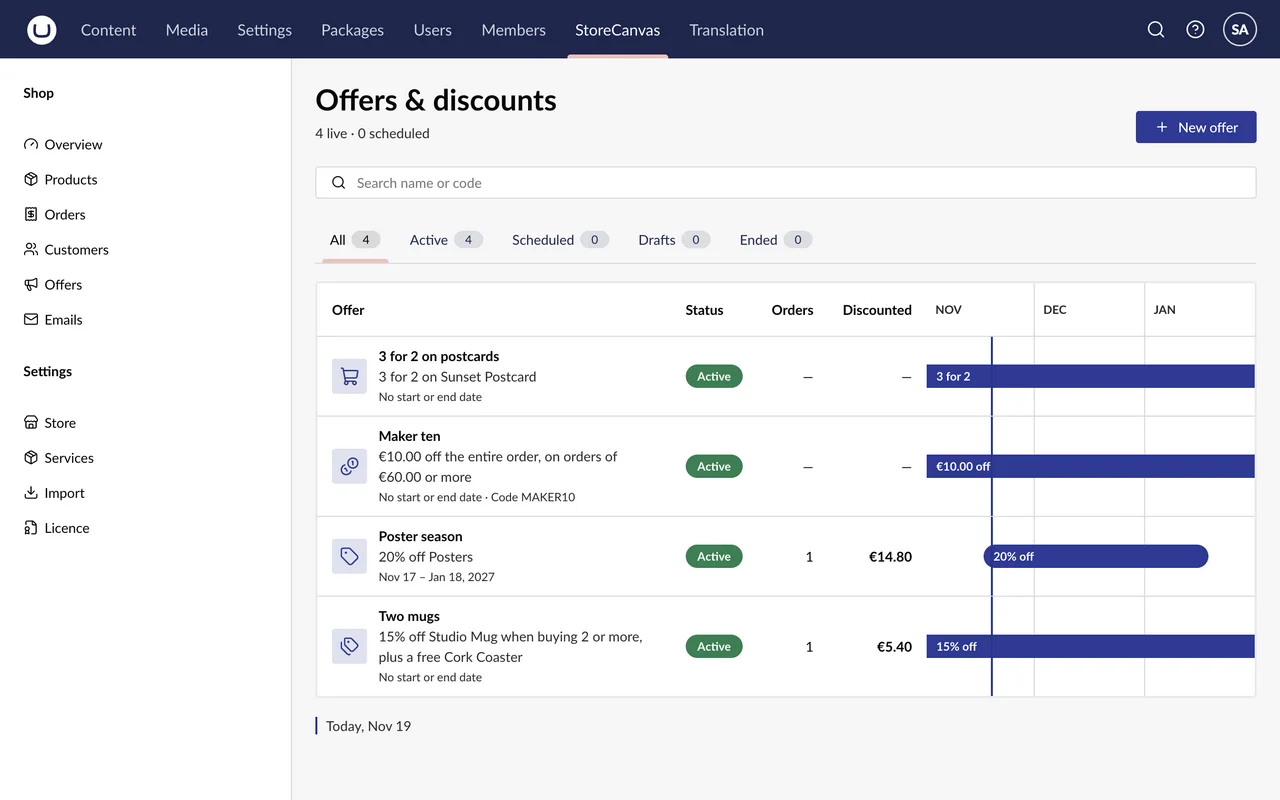
An amount or percentage off, 3 for 2, combinations, gifts and codes, each with a start and an end if you like.
Print on demand
Sync their products into the catalog. Paid orders go to them, with tracking back on the order.
Shoppers
Customer accounts, digital downloads only the buyer can open, and the shop's emails in the shopper's language, sent over SMTP or through CampaignCanvas.
Headless
A headless shop installs only StoreCanvas.Umbraco and builds its own pages on the public API under /api/storecanvas.
Import and feeds
Import products from a Shopify store, export and re-import them as CSV, and publish a product feed for Google Merchant Center or Meta Commerce Manager.
The backoffice
Screenshots of StoreCanvas's demo shop, with fictional products and test orders.
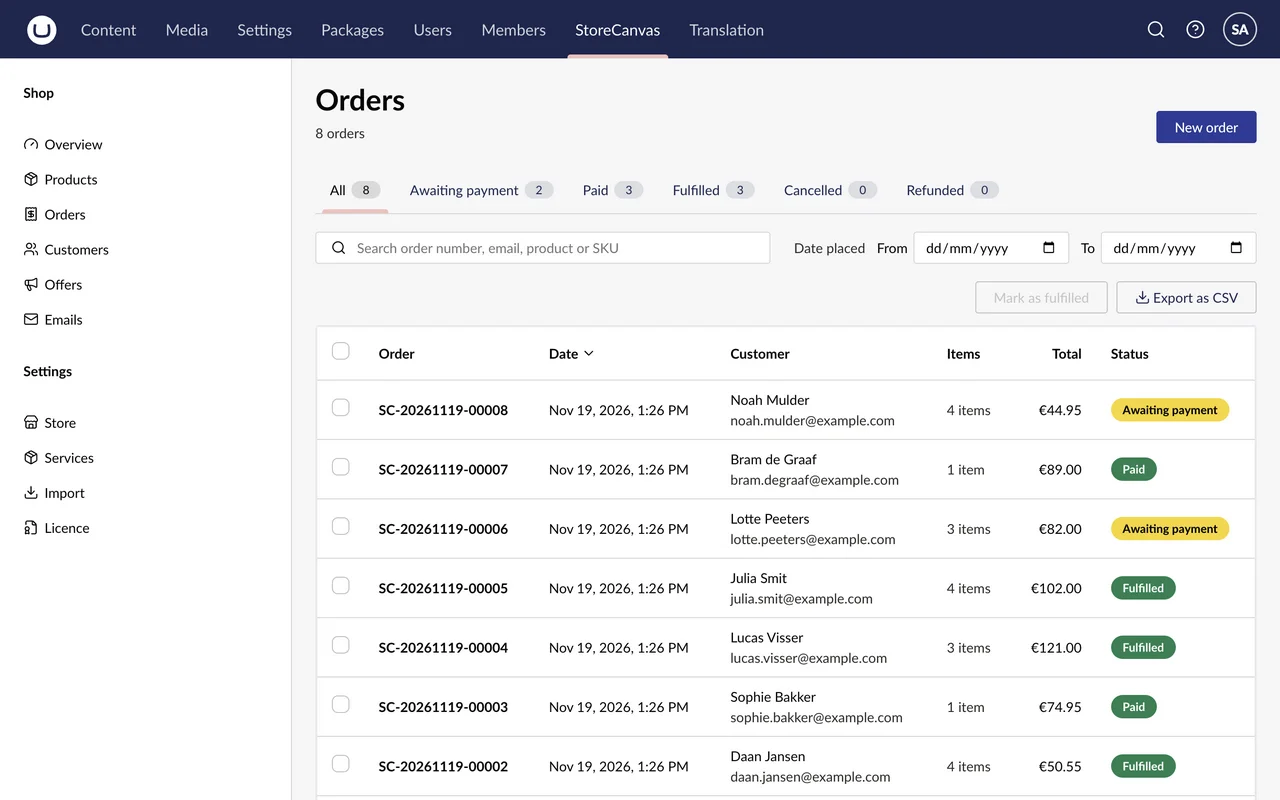
Search by order number, email, product or SKU, pick the dates, and mark several orders fulfilled at once. The list exports as CSV.
On one order you mark it fulfilled, buy its shipping label through Shippo, or refund it, and download its invoice and packing slip.
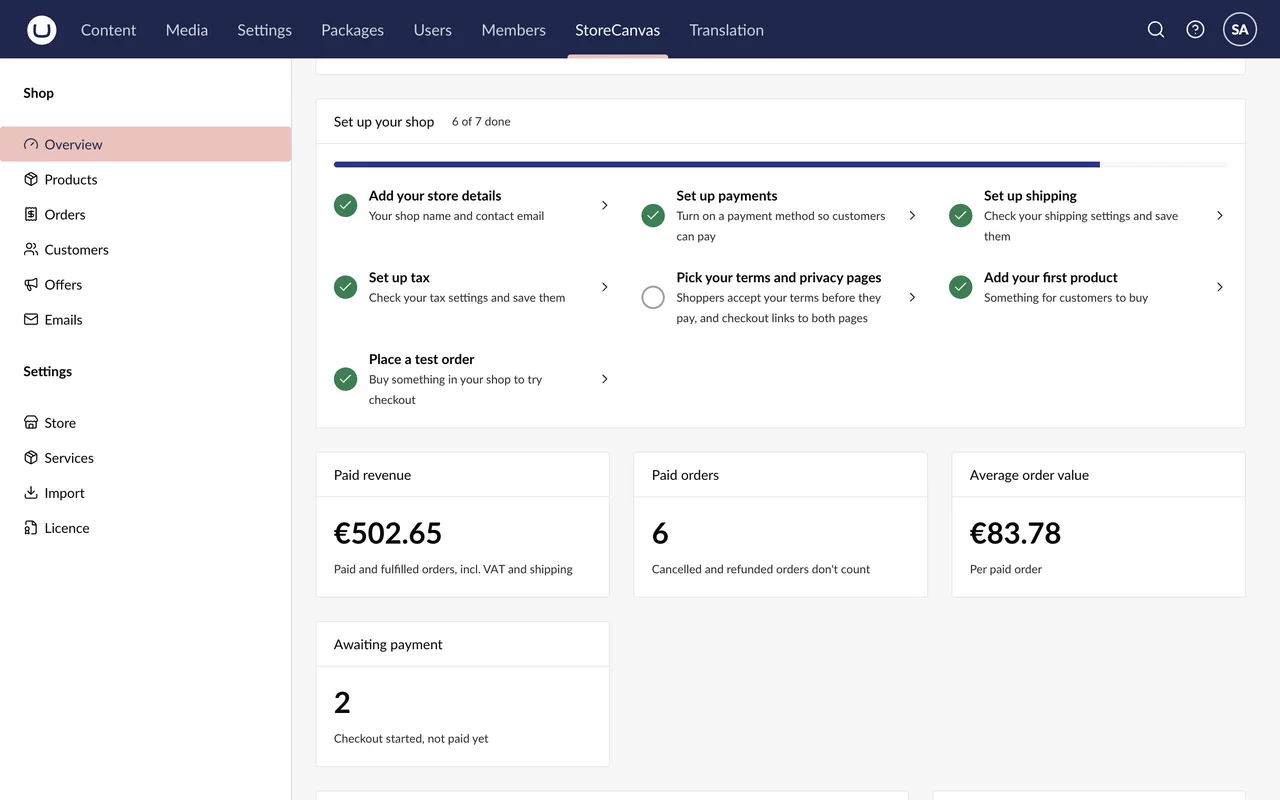
Paid revenue, paid orders and the average order value, and a set-up checklist: store details, payments, shipping, tax, terms, a first product and a test order.
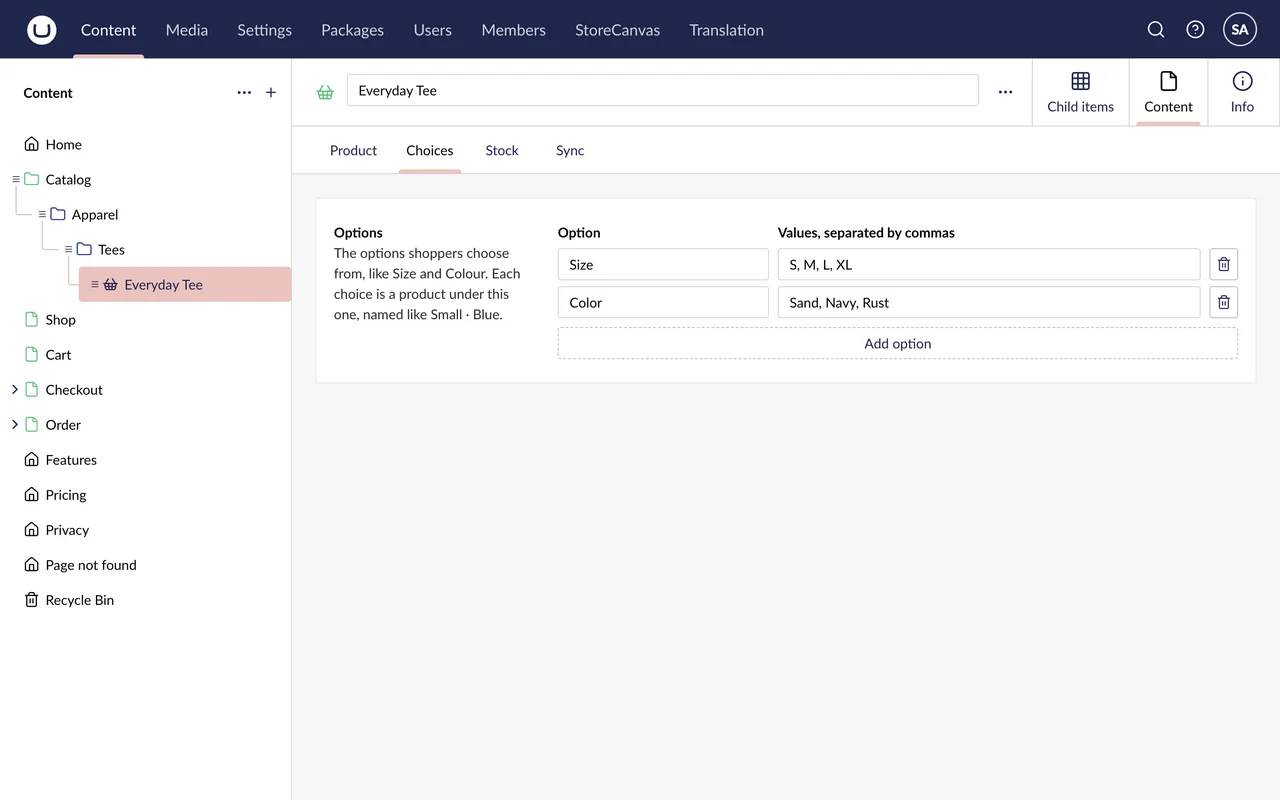
A product is edited in Content, like the rest of the site, under the Catalog folder. Its options, like Size and Color, make its choices, each with its own SKU, price, stock and picture.
StoreCanvas → Products lists them all with their stock and prices, searchable by name or SKU.
Install
StoreCanvas.Umbraco is the shop, with its backoffice and public API. StoreCanvas.Storefront adds the pages shoppers use; a headless shop leaves it out. Neither is on nuget.org yet. Once they are in a package source your site reads, you add them like this.
dotnet add package StoreCanvas.Umbraco
# Leave this one out for a headless shop
dotnet add package StoreCanvas.Storefront// Before CreateUmbracoBuilder()
builder.Services.AddStoreCanvas(builder.Configuration, builder.Environment);
// After await app.BootUmbracoAsync(), before app.UseUmbraco()
app.UseStoreCanvasShopUrlRewrites();
app.MapStoreCanvasApi();
app.MapStoreCanvasShopPages();
app.MapStoreCanvasAccountPages();Pricing
StoreCanvas is not on sale yet: its project page lists no licences so far.
€899 a year
Covers 3 domains.
Not on sale yet.
Not from nuget.org. The packages are not published there yet, and licences are not on sale yet.
Not yet. Until then a minor version, like 0.2.0, can change code that uses the package; the changelog lists every such change.
Umbraco 17.8.1 or newer, on .NET 10.
Yes. A shop runs a 14-day trial, with everything working, from the first time it checks its licence: usually when you first open the StoreCanvas section.
Without a licence the shop takes no new orders. Orders already placed still get paid, and the rest of the shop and the backoffice keep working.
Three. A domain covers its www; any other subdomain, such as a staging subdomain, takes a domain of its own. localhost doesn't take one.
Yes. Install only StoreCanvas.Umbraco and build your pages on the public API under /api/storecanvas.
StoreCanvas licences will be sold on its project page at projects.datapad.nl. For questions in the meantime, email [email protected].